 ← Back to Blog
 How I moved form management out of development
One of the projects had clients with a lot of complex forms. Large, multi-tab, with complex conditional logic. Everything was stored in YAML files written by developers, and the client code mapped them to UI. Any change to a form, or adding a new one, required a developer and a new deployment.
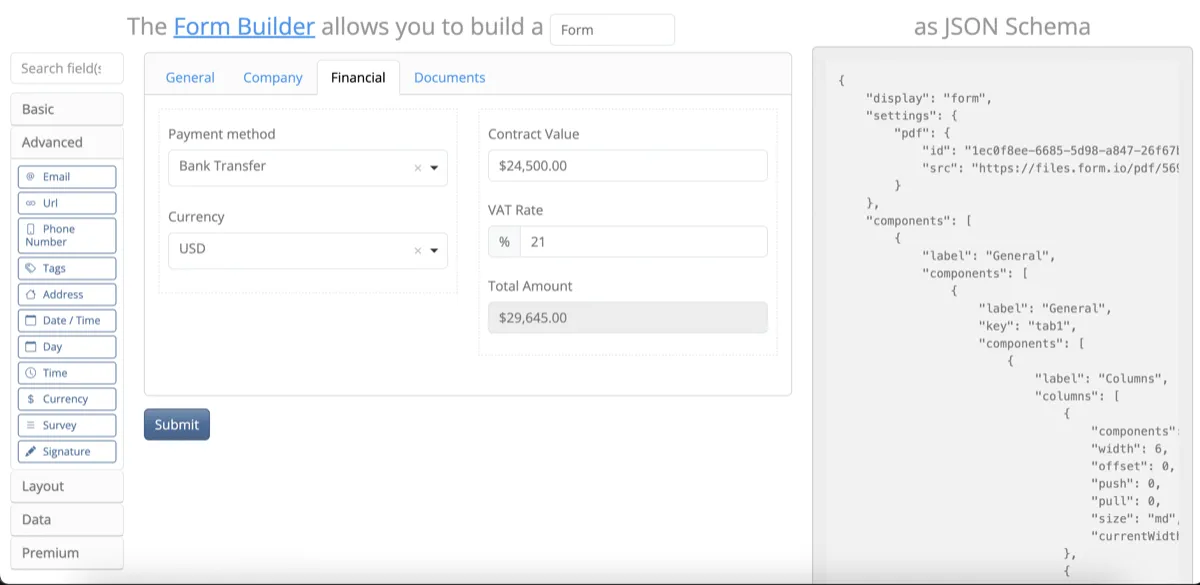
I proposed implementing a drag-and-drop form builder based on Form.io. The idea was that each form would be stored as a JSON schema generated by a visual editor, which would let admins build and publish forms on their own, with no developer and no deployment needed.
The standard component set was not enough, since the existing forms had specific input types: picking a user from an org tree, searching entities with filters in a modal, computed fields that calculated values from other fields. Had to write a few dozen custom components, extend the standard components used for form layout, add conditional tab rendering, and wire up multilingual support.
There were problems too, and the trickiest one was circular dependencies between fields. A form with 200+ fields and conditional logic is a graph, and sometimes that graph had cycles. The form would slow down in a sneaky way, sometimes freezing completely. I fixed it by adding code that detected these issues: it built the dependency graph and highlighted problematic chains before the form was saved.
There were also bugs in Form.io itself. Fixed them through monkey patching as a quick solution, opened a couple of issues on GitHub, and I think some things actually got fixed upstream.
Drag-and-drop is no silver bullet. The forms were complex, and even though no code was needed, admins had a hard time too: lots of settings in the interface, plus they needed to build responsive layouts that would not break on mobile. They kept coming to me with questions and it was pulling me away from other work quite a bit. I wrote a best practices guide covering how to build templates, which components to use, how to configure dependencies without shooting yourself in the foot. A few months later, the experienced admins were already helping new ones on their own.
After the builder was in place, developers were largely off the hook: admins assembled forms in the editor themselves and published them with a click of a button, no deployment needed.